🔒 100% Private ⚡ Real-time 📷 OCR Scanner

Convert crypto, stocks & currencies in one app

Real-time converter, portfolio tracker, OCR receipt scanner, and smart calculator. Your data stays on your device — no cloud, no tracking, no ads.
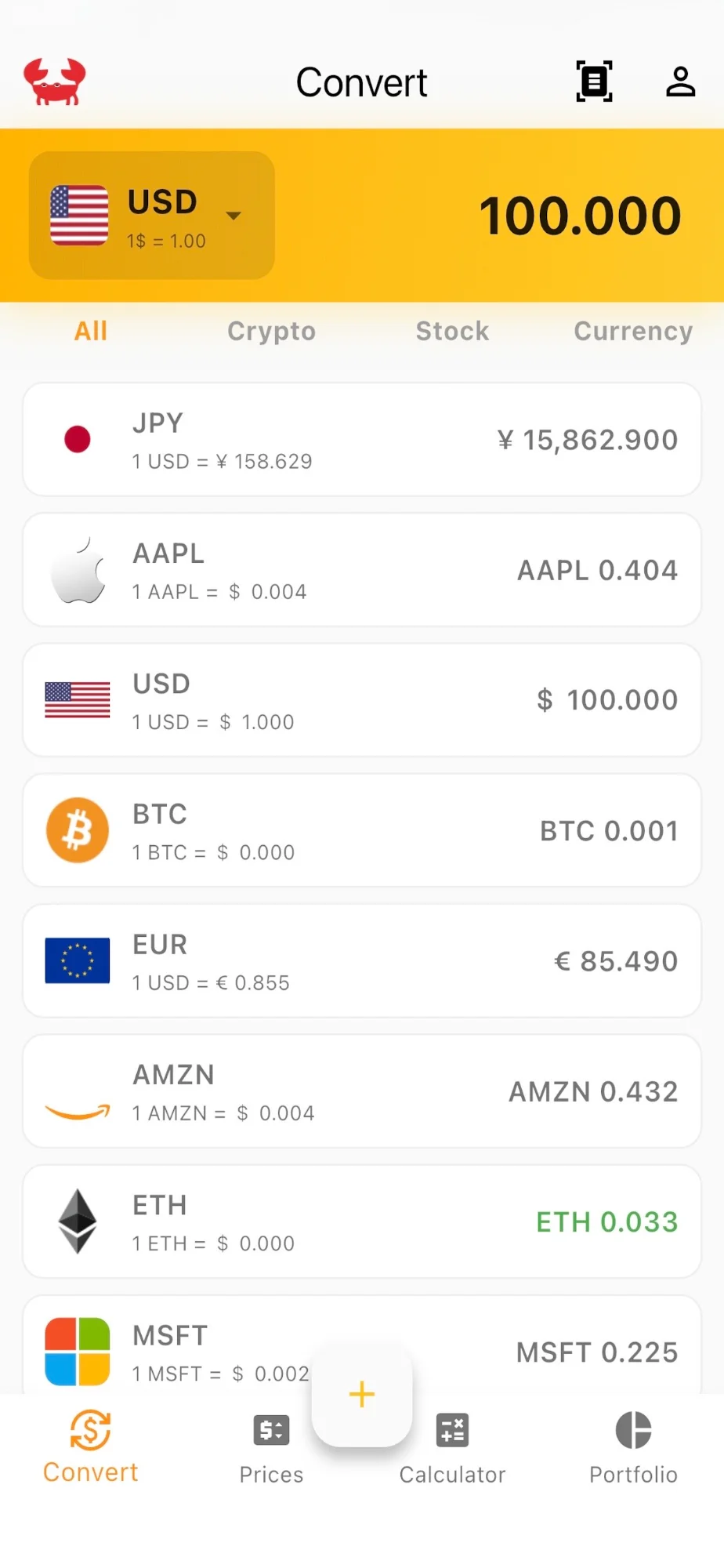
Crabby Convert Screen
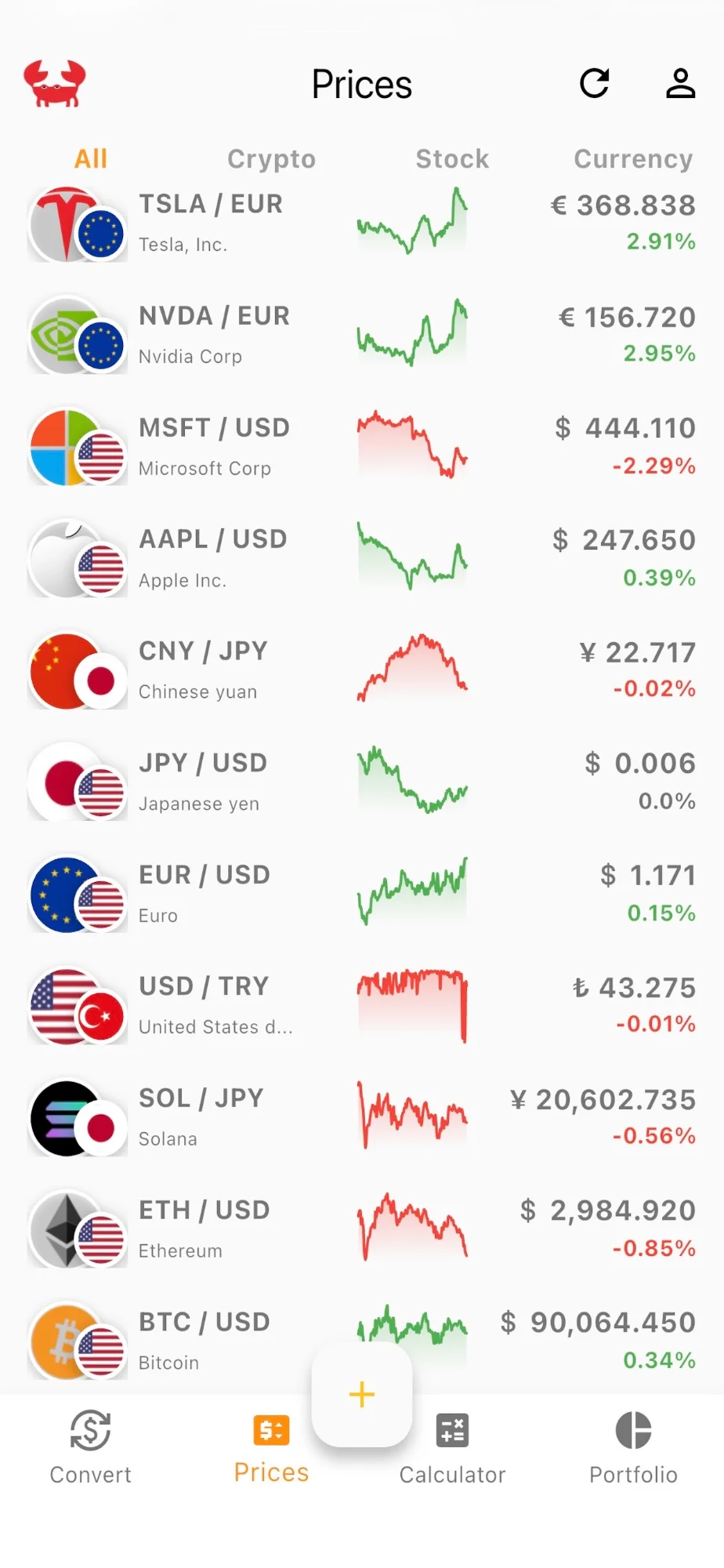
Crabby Prices Screen

Everything you need, nothing you don't

A powerful toolkit for converting currencies, tracking prices, and managing your investments.

💱

Instant Currency Conversion

Convert between currencies, cryptocurrencies, and stocks in real-time. See all conversions at once with live rates from Binance and Yahoo Finance.

  • Real-time crypto rates via WebSocket
  • Filter by type: Crypto, Stocks, Currency
  • Supports 100+ assets
Currency Converter
📈

Real-time Price Tracking

Monitor your favorite assets with mini sparkline charts. Crypto updates every second, stocks and currencies every 5 minutes.

  • Live mini-charts for each asset
  • Swipe to remove from watchlist
  • Tap for detailed price history
Price Watchlist
📷

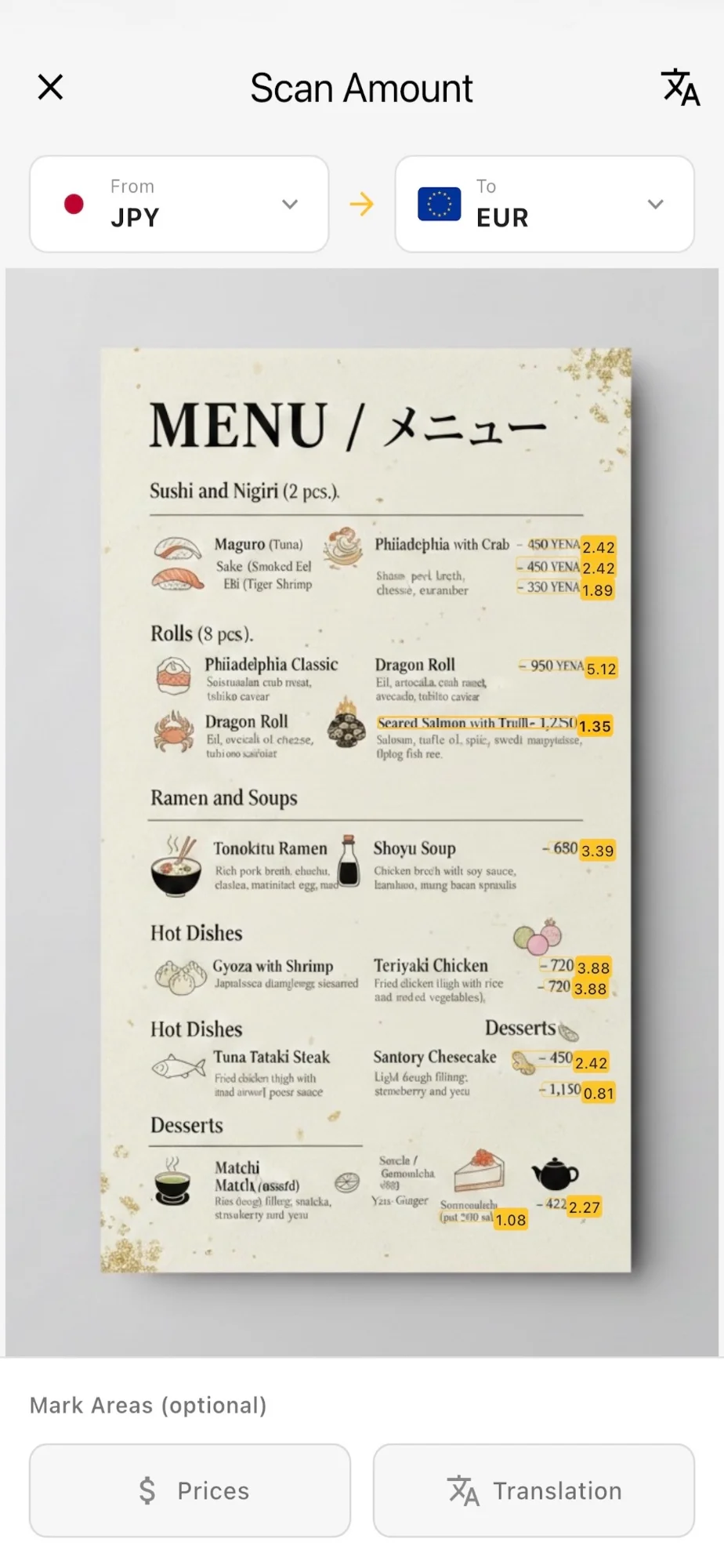
Scan Receipts & Menus

Point your camera at any receipt, menu, or price tag. Crabby automatically detects prices in 50+ currencies and shows instant conversions.

  • Recognizes $100, €50, ¥850, and more
  • Works with photos from gallery
  • Perfect for travel and shopping
OCR Scanner
🧮

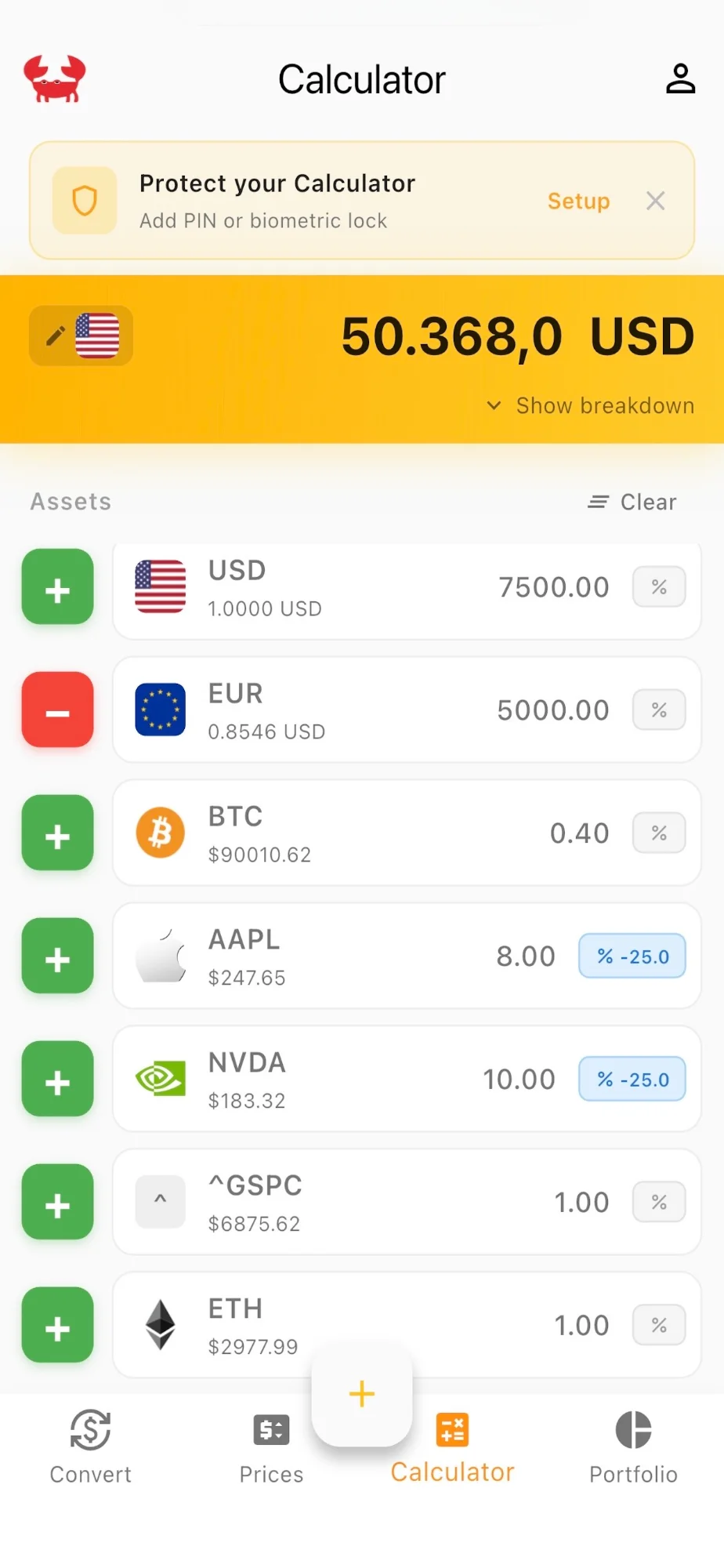
Multi-Currency Calculator

Add or subtract multiple currencies, stocks, and crypto in one calculation. Apply taxes and fees to get the exact total.

  • Mix any assets in one calculation
  • Add percentage fees or taxes
  • PIN or biometric protection
Smart Calculator
💼

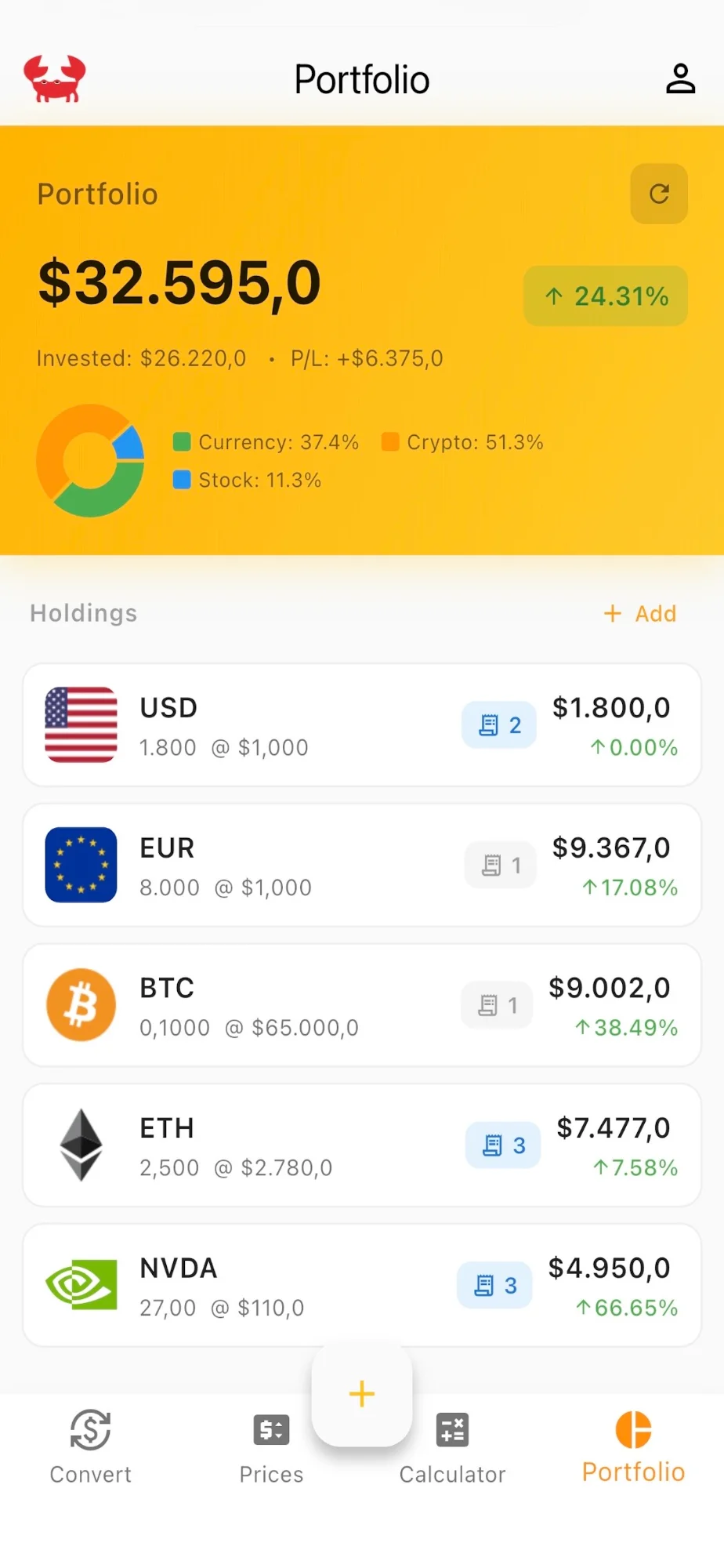
Track Your Investments

Add your holdings and watch your portfolio grow. See total value, P&L, and asset allocation with beautiful visualizations.

  • Track quantity & purchase price
  • Automatic P&L calculations
  • Pie chart for asset allocation
Portfolio Tracker
🔗

Custom Conversion Chains

Build multi-step conversion flows with custom rates and fees at each step. Compare market rates vs. your actual exchange fees.

  • Multi-step conversion paths
  • Add fees at each step
  • Custom vs. market rate comparison
Chain Converter

Your data stays on your device. Period.

We built Crabby with privacy as a core principle. No accounts, no cloud sync, no tracking. Your financial data is none of our business.

📱

100% Local Storage

All data on your device

🚫

No Account Needed

Use instantly, no signup

🔒

Biometric Lock

Face ID / Touch ID support

No Ads. Ever.

Clean, ad-free experience

Ready to take control?

Download Crabby and start converting, tracking, and managing your assets the private way.

Download on the App Store
← Back to Home

Privacy Policy

Last updated: January 2026

Our Commitment

Crabby is designed with privacy as a core principle. We do not collect, store, or transmit your personal data to any external servers. Your financial information stays on your device.

Data Storage

All app data is stored locally on your device using secure storage mechanisms:

Data We Access

Crabby accesses the following to provide functionality:

External Services

Crabby fetches market data from:

These requests contain no personal information — only asset symbols are queried.

What We Don't Do

Data Deletion

Since all data is stored locally, you can delete it by using in-app reset options in Settings, or by deleting the app from your device.

Children's Privacy

Crabby does not collect personal information from any users, including children under 13.

Contact

Questions? Contact us at: dmitrii.vokuev@gmail.com

← Back to Home

Support

We're here to help!

Frequently Asked Questions

How does the OCR scanner work?

Point your camera at any receipt, price tag, or menu. Crabby uses on-device text recognition to detect prices in 50+ currencies. It recognizes formats like $100.50, €1,234.56, ¥850, and more. Detected amounts are highlighted and can be converted instantly.

Where does the price data come from?

Cryptocurrency prices come from Binance via real-time WebSocket (updates every second). Stock prices and currency rates come from Yahoo Finance (updates every 5 minutes for stocks, daily for currencies).

Is my data synced to the cloud?

No. All data is stored only on your device. We don't have user accounts or cloud sync. This is intentional to protect your privacy.

How do I set up PIN or Face ID protection?

Go to Profile → Security Settings. You can set up a PIN code and enable Face ID / Touch ID. Once enabled, the Portfolio and Calculator screens will require authentication.

What is the Chain Converter?

The Chain Converter lets you build multi-step conversion paths (e.g., JPY → USDC → EUR) with custom fees at each step. It's useful for comparing market rates vs. actual exchange fees.

Does Crabby work offline?

Partially. Crabby caches the last fetched rates, so you can do conversions and view your portfolio with cached data. For real-time prices, an internet connection is required.

Contact Support

Email: dmitrii.vokuev@gmail.com

We typically respond within 24-48 hours.

Report a Bug

Found an issue? Email us with your iPhone model, iOS version, a description of the problem, and screenshots if possible.